
MEDITATION TIMER · YOGABOND
Meditation Timer · YogaBond — Your time. Your practice.
Choose how long to meditate, press start and let the gong accompany your practice. A simple meditation timer, with room for silence and a calendar to help you return to it.
- No accounts
- No ads
- History on your device
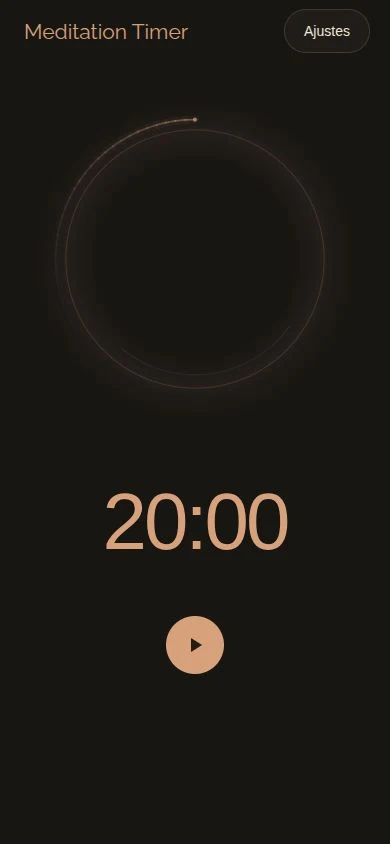
What you need to sit down and meditate.
At your pace
Sessions from 1 to 180 minutes, with pause and resume. If you finish early, choose whether to save the time completed.
A gong, when you need it
Set the starting and ending gong independently. Adjust the volume and listen to the sound before you begin.
See your practice
View daily minutes in the calendar, review sessions and delete individual records after confirmation.
Make it your own
A halo showing progress, light and dark themes, custom colors and an option to keep the screen on. Six languages, including Valencian.
A look inside
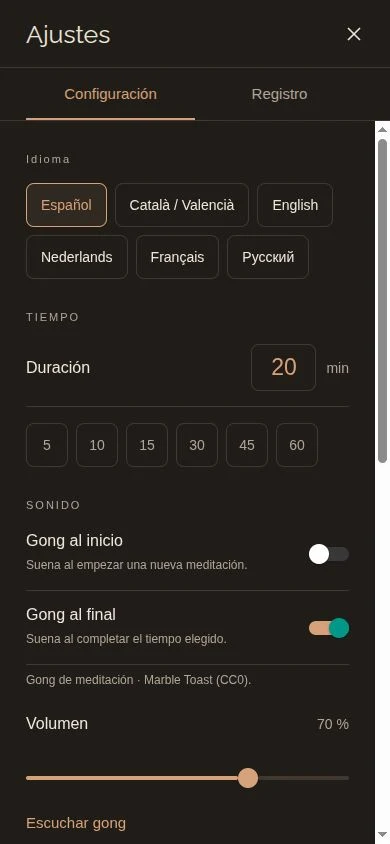
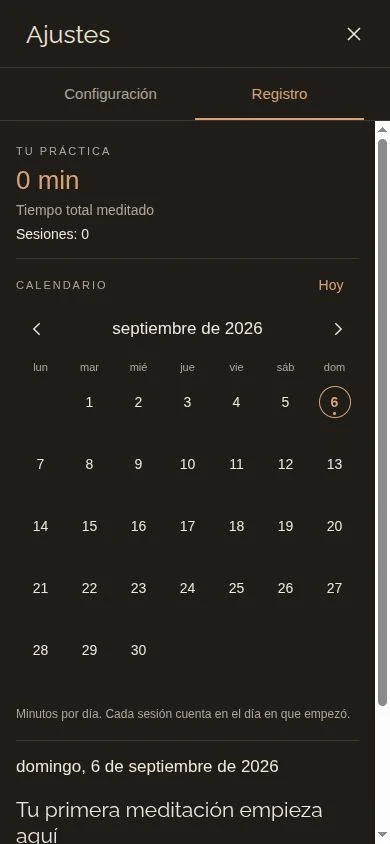
Spanish screenshots of the web version of the interface. Some controls and system alerts differ between iOS and Android.
Meditation Timer for iOS and Android
We are preparing the public launch. Store links may be unavailable until the app is published. For information, email info@yogabond.es.
info@yogabond.esAn app by YogaBond
Meditation Timer is created by Pablo Iranzo Román to accompany personal meditation. It does not include guided meditations and is independent of the YogaBond app for booking classes and events and managing passes. No account or app-managed synchronization is required or provided.
Discover the YogaBond booking appMeditation Timer · YogaBond support
A timer to accompany your meditation, with a gong and practice calendar. It is independent of the YogaBond booking app.
info@yogabond.esContact
Email info@yogabond.es with “Meditation Timer” and a description of the problem. Include the app version, device model and iOS or Android version. You do not need to send your meditation history.
Getting started
Open Settings, choose a duration and adjust the starting or ending gong. Return to the timer and tap Start. You can pause and resume. If you finish before reaching zero, the app asks whether you want to save the time completed.
Viewing or deleting a session
In Settings → Log, select a day to view its meditations. Delete record removes only that session after asking for confirmation and updates your totals.
If you cannot hear the gong
Check the app volume and your device’s media volume. Use Listen to gong in Settings. For alerts with the screen locked, check notification permissions and iOS/Android sound or focus settings. Alert behavior depends on system settings.
Where data is stored
Preferences and history are stored on your device. There is no account or app-managed synchronization. Clearing app data may delete your history; system backups and transfers depend on your settings.